Research-backed calculator guide
Global vs Data Zone vs Regional: Azure Deployment Decision Rubric
A practical Azure OpenAI deployment type cost comparison that hard-gates residency, then weighs cost, quota, availability, and latency variance.
Quick answer
Choose the cheapest deployment that passes your non-negotiable data-processing boundary and is actually available for your model, region, and workload. In practice, Global Standard is the starting point when prompts and responses may be processed in any Azure region. It uses pay-per-token billing, broad model coverage, and the highest default quota, but it can have more latency variation at sustained volume. Data Zone Standard is the middle choice when processing must stay within a Microsoft-defined US, EU, or APAC zone. Regional Standard is the strictest processing choice because inference is tied to the Azure geography associated with the deployment; it can carry a higher rate and a narrower availability or feature set.
Do not decide from a percentage premium alone. First reject any option that fails residency, model-version, or regional-availability requirements. Then compare the remaining options using the same input tokens, output tokens, cache treatment, request volume, retry assumption, and month length. Microsoft describes Global, Data Zone, and geography-based deployment options separately from Standard pay-as-you-go, Provisioned reserved capacity, and Batch processing, so “Global versus Regional” is not by itself a complete cost comparison. [1] [2]
The four-stage decision rubric
1. Hard-gate the processing boundary
Write the requirement as a sentence that can be tested: “Inference data may be processed anywhere,” “Inference data must stay inside the US data zone,” or “Inference data must be processed in this Azure geography.” This is more useful than saying an application is “data sensitive.” The boundary concerns processing, while data at rest has its own geography behavior.
Microsoft’s current Foundry documentation says Global types may process prompts and responses in any Azure region where the model is deployed. Data Zone types keep processing inside a specified zone, with examples including the United States, European Union, and Asia Pacific. Standard or Regional types process in the region associated with the deployment. The same page notes that data stored at rest remains in the designated Azure geography for all deployment types. [3]
Mark each candidate pass, fail, or needs legal/compliance confirmation. Do not treat a regional deployment as automatically “more secure,” and do not treat Global as acceptable merely because the resource itself is located in the desired geography. The useful question is where inference may be processed under the selected SKU and model.
2. Gate on model and region availability
A deployment type that meets the policy is still unusable if the model version is not offered there. Check the model’s availability matrix for the exact version, not just the family name. The matrix is organized by deployment category and region, and Microsoft notes that availability varies by model, region, and cloud. [3] [4]
Record four fields before doing cost math: model ID and version, Azure resource region, candidate deployment type, and whether the required API or feature is supported. This prevents a common spreadsheet error: comparing Global pricing for a model that is only available regionally, or comparing an old model version with a new deployment’s rate.
Availability is also an operational variable. Microsoft says Global deployments have the broadest model availability and receive new models and features first. That does not mean Global is always the correct production choice; it means availability and release timing belong in the rubric rather than in an after-the-fact footnote. [1]
3. Score operational fit
For every candidate that passes the first two gates, score the following dimensions from 0 to 5. Keep the scores visible so another reviewer can challenge the assumptions.
| Dimension | 0 points | 5 points | Evidence to record |
|---|---|---|---|
| Residency fit | Fails the required boundary | Meets the written boundary with no exception | Policy, contract, and deployment documentation |
| Model availability | Required version or region unavailable | Version, region, and deployment type confirmed | Microsoft availability matrix checked on the review date |
| Latency variance | Variance violates the SLO | Variance is acceptable or capacity is reserved | P95/P99 measurements or a provisioned-capacity plan |
| Quota and capacity | Expected peaks cannot be served | Quota and peak headroom are confirmed | Quota request, observed usage, and planned headroom |
| Blended monthly cost | Highest feasible cost with no compensating requirement | Lowest feasible cost under the gates | Token meters, PTU quote, and workload forecast |
Use weights that reflect the application. A regulated workload might weight residency 35%, availability 20%, latency variance 20%, quota 10%, and cost 15%. A non-regulated batch pipeline might weight residency 10%, availability 20%, latency variance 10%, quota 20%, and cost 40%. These are decision assumptions, not Microsoft recommendations.
Microsoft’s deployment guide is a useful check on the qualitative scores: Global Standard is pay-per-token and is described as a fit for general workloads with the highest quota; Data Zone Standard is pay-per-token within a zone; Standard is pay-per-token within an Azure geography. Provisioned variants reserve PTUs for predictable throughput, and Batch variants are for asynchronous work. [1]
4. Calculate comparable monthly spend
Normalize the workload before comparing a rate card. Let:
N= requests per month.I= billable input tokens per request.O= billable output tokens per request.C= cached-input tokens per request, if the model has a separate cache meter.rI,rO, andrC= dollars per 1 million tokens for the selected deployment type.A= retry or extra-attempt multiplier. For example, a 2% additional-attempt assumption usesA = 1.02.
The estimated pay-as-you-go total is:
Monthly estimate = N × A × ((I × rI) + (O × rO) + (C × rC)) / 1,000,000
Do not mix token units with “requests” or “calls.” If a provider quote is hourly PTU pricing, calculate it separately as PTUs × hourly rate × billed hours, then add any pay-as-you-go spillover or related Azure services. Azure’s public pricing page says displayed prices are estimates rather than quotes and may vary by agreement, purchase date, and currency conversion; it directs customers to the Azure pricing calculator for offer-specific pricing. [2]
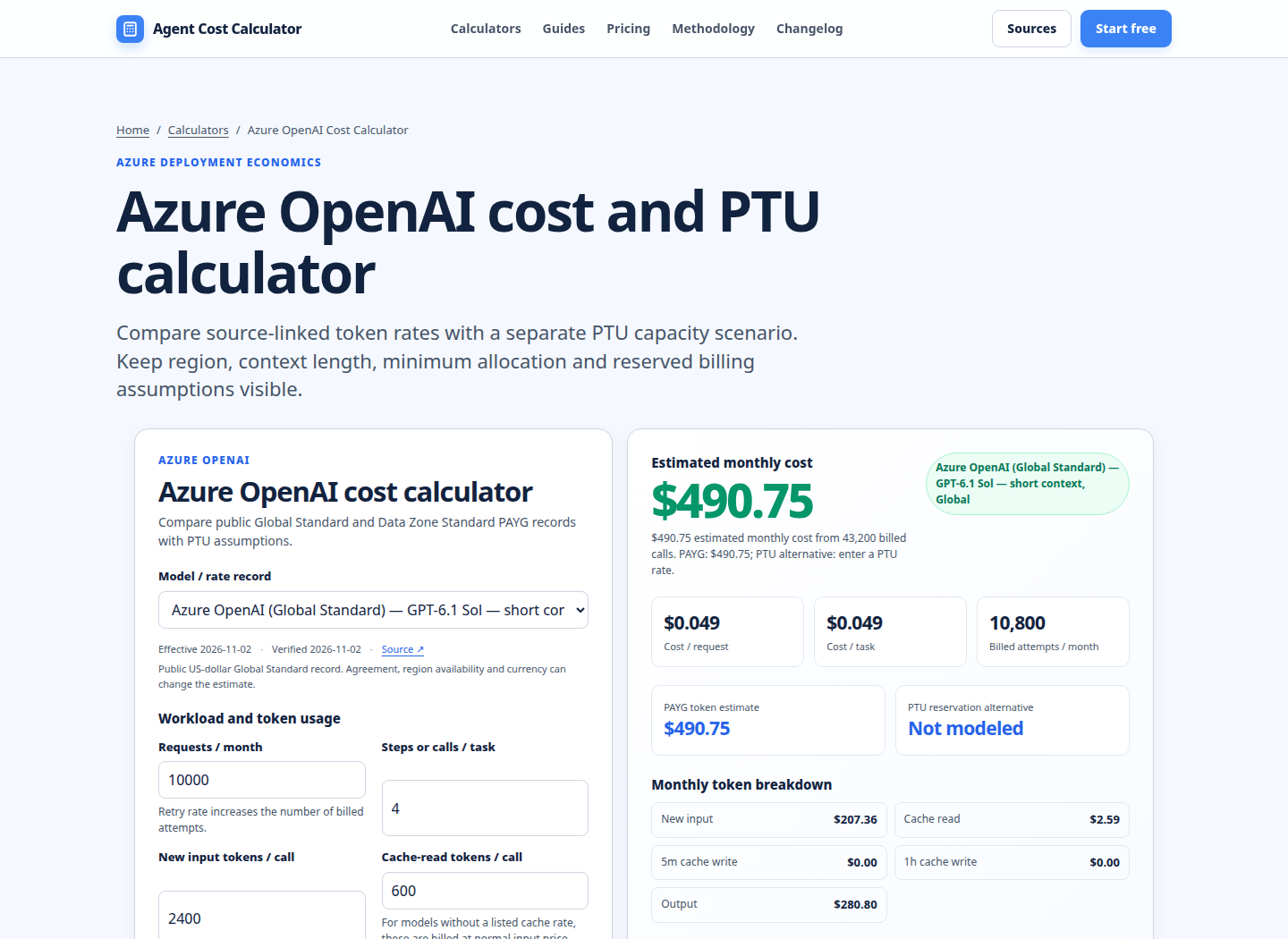
Worked cost example
Assume a US customer is comparing deployment scope for a short-context GPT-6.1 Sol workload. This is an illustration, not a quote. Use N = 1,000,000 requests per month, I = 1,000 new input tokens per request, O = 250 output tokens per request, no cache-read tokens, and A = 1.03 for retries and repeat attempts. The checked Azure price table showed Global Standard at $2 per 1 million input tokens and $10 per 1 million output tokens, while the Data Zone row showed $2.20 input and $11 output for the same short-context family. Prices are in USD per million tokens and were checked on 2026-11-02; verify the live row before approval. [2]
The billable volume after the attempt multiplier is 1.03 billion input tokens and 257.5 million output tokens. The estimates are:
| Candidate | Rate assumption | Calculation | Estimated monthly token spend |
|---|---|---|---|
| Global Standard | $2 input, $10 output per 1M tokens | 1,030 × $2 + 257.5 × $10 | $4,605.00 |
| Data Zone Standard | $2.20 input, $11 output per 1M tokens | 1,030 × $2.20 + 257.5 × $11 | $5,065.00 |
| Regional Standard | Illustrative $2.40 input, $12 output per 1M tokens | 1,030 × $2.40 + 257.5 × $12 | $5,556.00 |
The Regional row is deliberately an assumption, not a Microsoft quote. Replace it with the exact model, region, currency, agreement, and effective date from the Azure pricing calculator or your commercial quote. In this scenario, Data Zone costs $460 more per month than Global, and the illustrative Regional assumption costs $951 more than Global. Neither premium is a reason to bypass a required boundary. It is a reason to document what the boundary buys and to test whether the application can use the middle option.
The example also shows why request count alone is not enough. A workload with twice as many output tokens would move the result more than a small input-rate difference. A cached-input meter, a long-context tier, or a 5% retry rate changes the comparison again. For a reusable model, keep each meter as a separate input and publish the assumptions next to the result. The AI token cost calculator helps normalize input, output, and cached-token volumes before deployment scope is compared.
How to treat latency, quota, and availability in the decision
Cost is only one column. Microsoft states that Global Standard uses dynamic routing across available datacenters and provides the highest default quota, while high-consistency volume can experience more latency variation. Provisioned deployment types reserve processing capacity and are intended for lower and more consistent latency variance. Standard types are best-effort, so a low token rate should not be presented as an SLO guarantee. [1]
For each finalist, capture a traffic profile rather than an average: hourly requests, peak requests, input and output tokens at P50 and P95, retry rate, and the target response-time percentile. Then ask whether the option can meet the peak with confirmed quota. If not, include the time and engineering cost of quota requests, multi-resource distribution, or a provisioned alternative. A route that is cheaper per token but cannot absorb the peak is not the lower-cost production design.
Also separate data processing from disaster recovery. The Microsoft documentation warns that Global Standard and Data Zone Standard deployments can be affected when the primary region experiences an interruption because traffic initially routed there is affected. Record the primary region, failover design, and the operational test date in the same decision record. [1]
When the rubric selects each option
Select Global Standard when the policy permits global processing, the model is available, and variable or bursty traffic makes pay-as-you-go useful. It is a sensible default for prototyping and for production that values model availability and quota more than strict processing geography.
Select Data Zone Standard when the workload must stay inside a defined zone but does not require one specific Azure geography. It can preserve more placement flexibility than Regional while meeting a zone-level requirement. Confirm which zone applies to the workload and whether the exact model/version is available in the candidate resource region.
Select Regional Standard when a contract, sovereignty rule, or internal policy requires processing in a specific Azure geography. Do not choose it merely because the Azure resource is regional. Require an explicit reason in the deployment record and refresh the quote when the model, region, or agreement changes.
Select a Provisioned variant only after you have a stable throughput trace and a commercial PTU quote. Select Batch when the workload is asynchronous and the model and deployment type support it. The model pricing comparison is useful for keeping rates, units, and effective dates aligned; the AI API invoice reconciliation calculator can then compare the approved estimate with actual Azure usage.
Run your scenario
Turn this framework into an editable estimate.
Use dated, source-linked assumptions and see cost per request, successful task and month.
FAQ
Is Global Standard always the cheapest Azure OpenAI deployment?
No. It is often the baseline in the published token table, but the correct choice is the cheapest option that satisfies residency, availability, quota, latency, and workload requirements. A required Data Zone or Regional boundary can justify a higher rate. A Batch or provisioned option may change the effective cost for a different workload shape.
What is the practical difference between Global Standard and Data Zone Standard?
Global Standard may process prompts and responses in any Azure region where the model is deployed. Data Zone Standard limits processing to the specified Microsoft data zone, such as the US, EU, or APAC. Both are pay-per-token Standard options, but exact model availability, pricing, and supported features must be checked on the current Microsoft tables. [1] [3]
Does Regional deployment guarantee lower latency?
No. Regional scope controls the processing geography; it is not a latency guarantee. Standard deployments are best-effort. If latency variance is the binding requirement, compare measured percentiles and consider the appropriate Provisioned option rather than assuming Regional alone solves the SLO. [1]
How should I compare Regional deployment cost when the public table changes?
Use the exact model and region filters on Azure’s pricing page or pricing calculator, record USD or another currency, note whether the number is a public estimate or a negotiated quote, and save the effective date. Substitute those rates into the monthly formula above. Do not carry a percentage premium from another model or region into a new forecast.
Do all models support all three deployment scopes?
No. Microsoft explicitly notes that not all models support all deployment types. Check the model catalog and the deployment-category availability matrix for the exact model version, region, and cloud before comparing prices. [1] [4]
Primary sources checked
Pricing and product behavior can change. These sources support the time-sensitive claims in this guide; verify current provider terms before committing spend.