Research-backed calculator guide
GPU Cloud Billing Granularity: When Per-Second Beats Per-Hour
Learn how GPU cloud minimum billing duration, rounding increments, and GPU count change the real cost of short inference and batch jobs.
Quick answer
The minimum billing duration is the smallest amount of GPU time a provider charges for a launch. The billing increment is the rounding unit after that minimum. Those two rules can matter more than the advertised hourly rate when a job runs for seconds or minutes.
Use this sequence for a short GPU job:
- Record the quoted rate per GPU-hour, GPU count, and actual billable runtime.
- Apply the provider’s minimum duration:
billable seconds = max(actual seconds, minimum seconds). - Round that result up to the provider’s billing increment, if the terms require rounding.
- Convert to hours and multiply by the number of GPUs and the quoted rate.
- Add storage, egress, orchestration, and idle-resource charges separately when they apply.
A one-hour minimum turns a 10-minute job into one billed hour. A one-minute minimum with per-second billing turns the same job into roughly 10 billed minutes. Google Cloud documents a one-minute minimum for vCPUs, GPUs, and memory, followed by one-second increments.[1] AWS documents one-second billing with a 60-second minimum for eligible On-Demand usage.[2] Runpod’s Pod documentation says compute is billed by the second, while its product page describes no minimums; its account documentation separately says an account needs at least one hour of credits to deploy, which is a funding gate rather than a one-hour usage charge.[4] [5]
The practical answer is not “per-second is always cheaper.” It is: per-second billing usually has the strongest advantage for short, repeated, interruptible work, provided setup, warm-up, storage, and idle time do not erase the time-based saving.
What “minimum billing duration” actually means
A minimum duration is not the same as a reservation, commitment, or minimum account balance. It is a rule for converting a runtime into a billable runtime. If a provider has a 60-second minimum and the GPU runs for 18 seconds, the compute meter may charge 60 seconds. If the job runs for 92 seconds and the provider bills by the second after the minimum, the billable time is 92 seconds rather than two rounded minutes.
A billing increment is the precision of that meter. Common patterns include:
- Hourly rounding: a 35-minute runtime is charged as one hour.
- Minute minimum plus per-second billing: a 30-second runtime is charged as 60 seconds; a 90-second runtime is charged as 90 seconds.
- Per-minute rounding: a 61-second runtime becomes two billed minutes.
- Per-second billing with no usage minimum: the compute meter follows the measured runtime, although an account, product, or storage policy may still impose a separate condition.
Read the terms for the resource that actually runs your job. A provider can use different meters for a dedicated Pod, a serverless worker, a persistent volume, a network volume, and an accelerator attached to a virtual machine. “Per-second pricing” on a marketing page does not by itself tell you when the meter starts, when it stops, whether cold start is included, or how attached storage is billed.
Google Cloud gives a useful example of the distinction. Its Compute Engine pricing page says all vCPUs, GPUs, and gigabytes of memory are charged for at least one minute, then in one-second increments. It also says uptime continues while an instance remains in the RUNNING state, even if the application is idle.[1] That means a process that finishes in 45 seconds can still have a 60-second compute floor, and a forgotten running VM can continue accruing charges after the model stops doing useful work.
AWS states that EC2 usage is billed in one-second increments with a 60-second minimum, and its On-Demand documentation describes payment for seconds in the running state with that same minimum.[2] [3] This is a time-meter rule, not a promise that every surrounding service is free. EBS, data transfer, load balancing, snapshots, and managed inference layers may use different prices or meters.
Runpod’s current Pod documentation says compute and some storage are billed by the second. The same page warns that an on-demand instance requires at least one hour’s worth of credits in the account before deployment. The credit requirement should be modeled as cash-flow or account-eligibility friction, not automatically as a one-hour minimum charge.[4] Its Serverless documentation adds another important detail: worker billing starts when a worker starts and continues until it fully stops, rounded up to the nearest second; cold start, execution, and the configured idle timeout can all be part of the billed worker lifetime.[5]
Worked cost example: a 35-minute GPU job
Assume one GPU has a quoted rate of $2.89 per GPU-hour. The workload runs for 35 minutes, uses one GPU, and has already been stopped cleanly. This is an illustrative calculation, not a vendor quote. It excludes storage, egress, taxes, support plans, and any managed-service fee.
The raw runtime is:
35 minutes ÷ 60 = 0.5833 hours
Here is how the same quote behaves under different billing rules:
| Billing rule | Minimum / rounding assumption | Billable time | Compute calculation | Effective cost |
|---|---|---|---|---|
| Hourly minimum | Round up to 1 hour | 1.0000 h | 1 × $2.89 × 1.0000 | $2.89 |
| One-minute minimum, per second after | 60-second floor; 35 minutes is above it | 0.5833 h | 1 × $2.89 × 0.5833 | $1.69 |
| Per-minute rounding | Round 35 minutes to 35 minutes | 0.5833 h | 1 × $2.89 × 0.5833 | $1.69 |
| Per-second, no usage minimum | Charge measured 2,100 seconds | 0.5833 h | 1 × $2.89 × 0.5833 | $1.69 |
The hourly rule costs $1.20 more for this run, or about 71% more than the per-second result. Expressed as a percentage of the per-second baseline, the hourly charge is about 71% higher. The saving from choosing the finer meter is about 42% of the hourly-minimum charge.
For a 10-minute run, the difference is sharper. At the same rate, an hourly minimum costs $2.89. A one-minute minimum with per-second billing costs 10/60 × $2.89 = $0.48. With three GPUs, both figures multiply by three: $8.67 under the hourly minimum versus $1.45 under the finer meter. The rate did not change; the paid duration and device count did.
That example also shows why a headline comparison can mislead. Provider A at $2.50 per hour with a one-hour minimum can cost more for a 10-minute test than Provider B at $2.89 per hour with per-second billing. Always compare the effective job cost for your runtime distribution, not only the nominal hourly number.
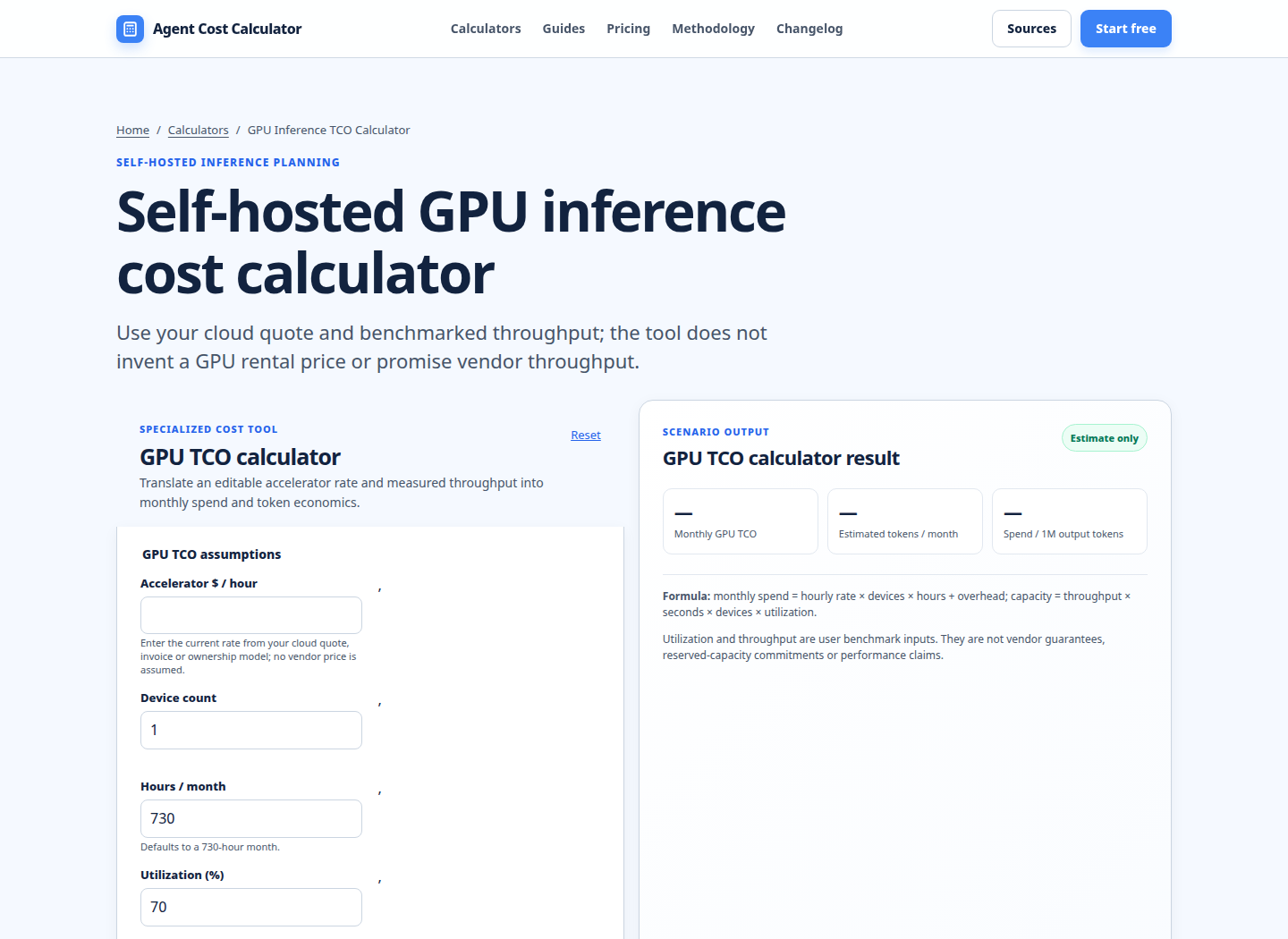
The existing Self-hosted GPU inference cost calculator is useful for the rate and capacity side of this exercise. Enter the current quote, device count, and expected hours, then keep the billing-duration adjustment as a separate line when the calculator’s hourly model does not represent a provider’s minimum or increment rule.
A provider-neutral worksheet
For each job class, keep these inputs in a small sheet or cost ledger:
- Quoted GPU rate: dollars per GPU-hour for the exact GPU, region, availability tier, and commitment type.
- GPU count: the number of simultaneously billed accelerators.
- Application runtime: time spent processing useful work.
- Startup and teardown time: image pull, model load, health checks, and termination delay while resources remain billable.
- Minimum duration: the provider’s floor in seconds.
- Billing increment: the rounding unit after the floor.
- Idle policy: whether a worker, VM, or Pod remains billable between requests.
- Non-compute charges: storage, egress, IP addresses, orchestration, and managed service fees.
A general formula is:
effective_seconds = round_up(max(application_seconds + billable_setup_seconds, minimum_seconds), increment_seconds)
compute_cost = gpu_count × quoted_gpu_rate × effective_seconds ÷ 3,600
If the provider does not round after the minimum, set increment_seconds to one second. If the provider uses a one-hour block, set it to 3,600 seconds. Do not silently use one rule for all products. A serverless endpoint may charge worker lifetime, while a dedicated instance may charge instance uptime; those are different workloads even if both advertise GPU access.
Run the worksheet against a distribution, not just an average. Create rows for a 30-second smoke test, a 10-minute batch, a 35-minute evaluation, a two-hour fine-tune, and an overnight job. The short rows reveal minimum-duration exposure. The long rows reveal that billing granularity becomes less important than utilization, throughput, interruptions, and attached resources.
For model-serving economics, connect the result to throughput. A cheaper minute is not necessarily a cheaper successful request if the GPU processes fewer tokens or spends more time warming. The Model pricing comparison can help separate a model’s API price from infrastructure assumptions. For a retrieval pipeline, use the RAG, embedding and vector database cost calculator so GPU runtime is not mistaken for the complete request cost. If the GPU is part of a larger build rather than a steady service, compare the infrastructure line with the AI agent development cost estimator.
When per-second billing wins
Per-second billing is most valuable when all of the following are true:
- Jobs are short relative to the competing minimum block.
- Jobs can be stopped promptly after the useful work ends.
- Startup and model-loading time are small or reused across requests.
- The provider does not add a larger storage, worker-idle, or orchestration charge.
- The workload is bursty enough that paying for an always-on GPU would create idle time.
It is especially relevant for CI smoke tests, evaluation batches, development experiments, image-generation bursts, scheduled preprocessing, and noninteractive batch inference. Multiply the per-run difference by the number of runs. A $1.20 saving on one 35-minute test becomes $120 across 100 identical tests before other costs.
Per-second billing may matter less for a multi-day training job. If a job runs continuously for 48 hours, a one-minute floor is immaterial. Capacity availability, spot interruption behavior, checkpoint storage, network throughput, and GPU performance can dominate the decision. A finer meter also cannot rescue a workload that leaves a worker warm for ten minutes between requests.
Assumptions, exclusions, and limitations
This guide uses vendor documentation read on 2026-11-02. Pricing pages and product policies can change, and a displayed hourly rate is not a durable quote. Recheck the exact region, GPU variant, storage class, availability tier, contract, and tax treatment before purchase.
The worked examples assume one homogeneous GPU, a quoted on-demand rate, a clean stop, and no credits or discounts. They do not estimate search volume, rankings, traffic, revenue, or total monthly spend. They also exclude data transfer, persistent storage, container disks, IP addresses, load balancers, observability, orchestration, support, taxes, and failed-job policies. If the provider documents a minimum account balance, do not relabel it as a minimum usage duration.
A vendor’s “per-second” phrase can still hide paid setup or idle time. Measure the billable lifecycle from the provider’s start event to its stop event, not only the time your handler returns. For serverless, include cold start and idle timeout where the documentation says the worker remains active. For a VM, include time the instance is still running while the application is idle.
Run your scenario
Turn this framework into an editable estimate.
Use dated, source-linked assumptions and see cost per request, successful task and month.
FAQ
What is the GPU cloud minimum billing duration?
It is the smallest duration charged for a GPU launch or worker. A provider may charge at least 60 seconds even when the process ran for 20 seconds, or at least one hour even when a test ran for 10 minutes. The exact rule depends on the product and resource type, so read the relevant pricing and billing documentation.
Is per-second GPU billing always cheaper than per-hour billing?
No. It is usually cheaper for short, cleanly terminated jobs when the hourly product has a large minimum block. For long-running jobs, the difference may be negligible. Startup time, idle timeout, storage, egress, reliability, and GPU throughput can outweigh the time-meter difference.
How do I calculate a short GPU job cost?
Start with max(actual billable seconds, minimum seconds), round up to the required increment, divide by 3,600, multiply by the GPU-hour rate, and then multiply by GPU count. Add non-compute charges separately. Include billable setup and teardown if the provider’s meter includes them.
Does a minimum account balance mean I will be charged for a full hour?
Not necessarily. An account may need enough prepaid credit to launch a resource even when usage is billed by the second. Treat the balance requirement as a deployment or cash-flow condition. Confirm the provider’s actual usage meter before modeling it as a minimum charge.
Should serverless inference use request duration or worker duration?
Use the duration the provider bills. If a worker remains active for cold start, request execution, and an idle timeout, worker duration is the relevant meter. A request that takes 20 seconds can cost more than 20 seconds if the worker must load a model or wait before scaling down.
What should I compare besides billing granularity?
Compare GPU model and memory, region, availability and interruption terms, measured throughput, cold-start behavior, storage, egress, networking, observability, support, and the operational time needed to deploy and stop resources. A slightly higher per-hour quote can be cheaper if it completes the job faster or avoids a large idle period.
Primary sources checked
Pricing and product behavior can change. These sources support the time-sensitive claims in this guide; verify current provider terms before committing spend.