Research-backed calculator guide
LLM Cost Calculator: How to Estimate Monthly Model Spend
Learn how to estimate monthly LLM API spend from tokens, request volume, model rates, caching, and workload assumptions, with a worked example and practical reconciliation steps.
Quick answer: To estimate monthly LLM spend, multiply your average input and output tokens per request by the number of monthly requests, then apply the model’s input and output rates per million tokens. Split cached input from regular input when the provider offers discounted prompt caching, and add separate charges for tools, grounding, images, audio, batch processing, or hosting when they apply.
The fastest useful estimate is:
Monthly cost = uncached input cost + cached input cost + output cost + additional usage chargesAn LLM cost calculator turns that equation into a scenario you can adjust. It is more reliable than multiplying a model’s headline rate by the visible user prompt because the bill may also include system instructions, conversation history, retrieved documents, tool definitions, reasoning or thinking tokens, and the generated answer.
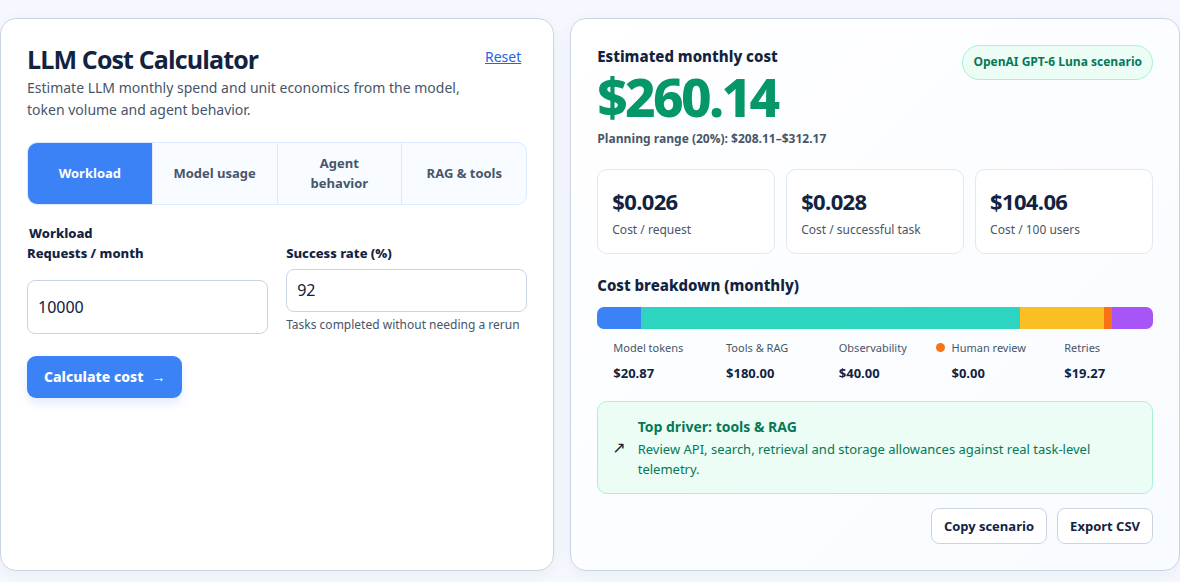
What an LLM cost calculator measures
An LLM API is usually metered by tokens rather than a flat monthly seat. Providers quote rates per million tokens and often separate input, output, and cached input. OpenAI also notes that built-in tool tokens use the selected model’s rates and that some tools have separate charges. [1]
A useful calculator therefore needs four core inputs:
- Model and price card. Select the exact model, endpoint, context tier, service tier, and currency basis you plan to use.
- Average input tokens per request. Include the user message, system prompt, conversation history, retrieved context, tool schemas, and other content sent to the model.
- Average output tokens per request. Include the answer and, where the provider bills them, reasoning or thinking tokens.
- Monthly request volume. Use model calls, not just user clicks. One user action can create several calls in a retrieval, routing, or agent workflow.
Optional fields include cache share, batch traffic, modalities, tool calls, retries, and model mix. If you use multiple models, calculate each segment separately; one blended rate can hide the feature driving spend.
An AI model comparison should also consider quality, context window, speed, latency, and cost per completed task. Price per million tokens is only one dimension. OpenAI’s official model comparison, for example, places reasoning, speed, pricing, context, and supported features side by side. A cheaper model that needs two retries may be more expensive than a higher-priced model that completes the task once. [2]
The LLM cost formula
Let:
R= monthly requestsI= average input tokens per requestC= share of input tokens served from cache, written as a decimalO= average output tokens per requestPᵢ= uncached input price per million tokensP꜀= cached input price per million tokensPₒ= output price per million tokens
The basic monthly estimate is:
Uncached input cost = (R × I × (1 − C) ÷ 1,000,000) × Pᵢ
Cached input cost   = (R × I × C       ÷ 1,000,000) × P꜀
Output cost         = (R × O            ÷ 1,000,000) × Pₒ

Estimated monthly cost = uncached input cost + cached input cost + output cost
If there is no discounted cache, set C to zero. If a provider bills cache writes or storage separately, add those amounts rather than treating every cached token as a cache hit. If batch processing has a published discount, apply that discount only to the eligible traffic. If a provider charges per tool call, search request, image, minute of audio, or storage unit, add those line items separately.
This formula is deliberately transparent. It makes the biggest drivers visible: volume, input context, output length, the input-to-output price ratio, and cache behavior. Rates should be treated as a dated assumption, not a permanent fact. OpenAI, Anthropic, and Google all publish model-specific pricing tables, and those tables include different tiers, modalities, cache rules, and feature charges. [1] [3] [4]
Worked example: estimate a monthly LLM API bill
Suppose a support assistant makes 30,000 requests per month. Each request averages 1,000 input tokens and 500 output tokens. Assume 20% of input tokens are cache hits. For illustration, use a model price card with:
- Uncached input: $2 per million tokens
- Cached input: $0.10 per million tokens
- Output: $10 per million tokens
First calculate monthly token totals:
- Total input:
30,000 × 1,000 = 30,000,000tokens - Uncached input:
30,000,000 × 80% = 24,000,000tokens - Cached input:
30,000,000 × 20% = 6,000,000tokens - Output:
30,000 × 500 = 15,000,000tokens
Now apply the rates:
Uncached input = 24 × $2     = $48.00
Cached input   =  6 × $0.10   = $0.60
Output         = 15 × $10    = $150.00

Estimated total = $48.00 + $0.60 + $150.00 = $198.60 per month
Without caching, the input line would be 30 × $2 = $60, making the total $210 per month. In this scenario, caching saves $11.40 per month. The exact result depends on whether the repeated content is actually cacheable, whether cache writes have a charge, and how the provider defines a cache hit.
The example also shows why output deserves attention. Although output is only one-third of the token count in this workload, it contributes $150 of the $198.60 estimate because its rate is much higher. Reducing unnecessary response length can matter more than shaving a few words from the user prompt.
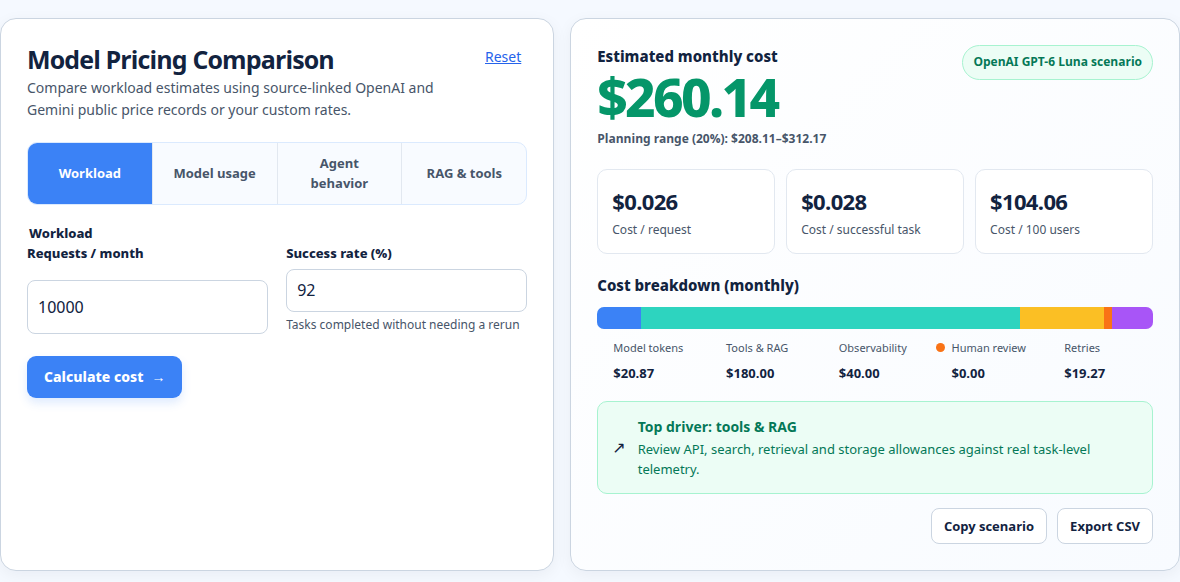
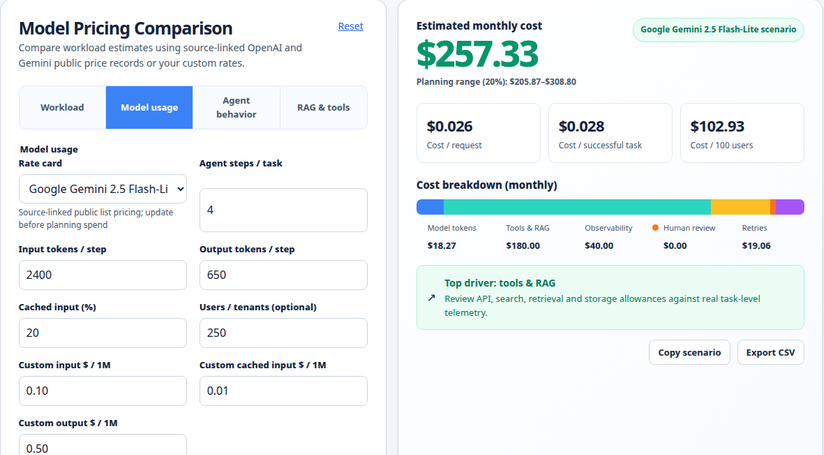
For a live comparison across models and rate cards, use the model pricing comparison. When your input is a real prompt or document, measure it with the prompt token calculator rather than relying on a character-count shortcut.
Assumptions and exclusions to state clearly
A calculator produces an estimate, not an invoice. Your result is only as good as the assumptions behind it. State the following beside any budget number:
- Token averages: A mean can hide long prompts and long responses. Keep a separate high-usage scenario, such as the 95th percentile, when users can submit documents or long conversations.
- Request definition: Count actual model calls. Retrieval, classification, planning, tool selection, and final-answer steps may each be separate calls.
- Model version: Use the exact model ID and context tier. A provider may price long-context traffic differently from ordinary traffic.
- Cache behavior: A cache-hit percentage is a workload assumption, not a guaranteed discount. Include cache writes and storage if the provider charges them.
- Non-text inputs: Images, audio, and video can become billable tokens or time-based usage. Google’s documentation states that multimodal content, system instructions, and tools are tokenized, and its usage metadata can expose input, output, thinking, cached, tool-use, and total tokens. [5]
- Reasoning or thinking: Some models include reasoning tokens in output billing; others expose them as a separate usage field. Verify the model’s pricing page.
- Other charges: Add search or grounding requests, tool calls, file storage, fine-tuning, dedicated capacity, gateway margins, taxes, and infrastructure when applicable.
- Free tiers and credits: Treat promotional credits as a temporary offset, not the production unit cost.
Training cost is normally outside this calculation. This article focuses on recurring inference or API usage. If you are hosting an open-weight model yourself, add GPU, memory, storage, networking, observability, and engineering costs to create a total cost of ownership estimate.
Common LLM cost-calculator mistakes
Pricing the visible prompt only
The short user question is rarely the whole input. System instructions, few-shot examples, conversation history, retrieved chunks, and tool schemas can dominate the request. Measure the serialized request sent to the API.
Treating tokens as universal units
Tokenizers differ. Anthropic notes that Claude 4.7 and later models use a newer tokenizer that produces approximately 30% more tokens for the same text, with the exact change depending on the workload. [3] A count from one model should not automatically be reused for another. Provider token-count endpoints are safer than a generic words-to-tokens rule.
Counting clicks instead of model calls
A “chat message” may trigger a safety check, query rewrite, retrieval call, tool call, and final response. Instrument every call and sum the tokens by model. Otherwise, the calculator will understate spend even when its arithmetic is correct.
Assuming output caps equal output usage
A max_output_tokens setting is a ceiling, not a forecast. Use observed output distributions. Also account for retries, partial failures, streaming interruptions, and agent loops.
Comparing only input price
A model with low input pricing can still be costly when output is expensive or responses are long. Compare the complete workload: input tokens, output tokens, cache share, call count, and success rate.
Practical optimization and reconciliation steps
Start with measurement. Log the model ID, request ID, input tokens, output tokens, cached tokens, tool-use tokens, latency, status, retry count, and feature or customer identifier. Anthropic’s token-counting guidance recommends counting before a request to manage costs and routing, while actual usage is returned in the response usage object. [6] Use equivalent usage data from your provider rather than guessing from characters.
Next, reconcile the calculator to an invoice or provider usage export. Pick the same date range, currency, model IDs, and billing tier. Compare token totals first, then price rates, then non-token line items. A mismatch usually comes from one of four places: omitted calls, incorrect cache treatment, a different model alias, or a separate tool/modality charge.
For optimization, test the lowest-risk changes first:
- Route by task difficulty. Use a lower-cost model for classification, extraction, summarization, and simple support replies. Reserve a flagship model for tasks that benefit from its quality.
- Trim repeated context. Remove duplicated history, unnecessary tool descriptions, and irrelevant retrieval chunks. Preserve the information needed for a correct answer.
- Control output length. Specify a useful format and maximum length. A concise structured response is often cheaper and easier to validate.
- Cache stable prefixes. System prompts, policy text, and repeated documents are good candidates when the provider’s cache rules fit your traffic pattern.
- Batch asynchronous work. Use batch pricing only when latency and eligibility match the product requirement.
- Set guardrails. Add per-feature budgets, rate limits, retry caps, and alerts for sudden increases in input tokens or call fan-out.
Recalculate after each change and compare quality, completion rate, latency, and cost per successful task. The goal is not the lowest token rate. It is the lowest reliable cost for the outcome users need.
For token-level estimates across providers, the AI token cost calculator is a useful next step. Review the methodology before using a calculator result in a forecast or internal report.
Frequently asked questions
What is an LLM cost calculator?
An LLM cost calculator estimates recurring model spend from token usage, provider rates, request volume, and optional charges such as caching or tools. It is used for budgeting, model selection, and scenario planning before production traffic arrives.
How do I calculate the cost of one LLM API call?
Divide input and output tokens by 1,000,000, multiply each by its corresponding per-million-token rate, and add the results. For a cached request, split cached and uncached input before applying the rates. Add any per-call tool or modality charge.
How accurate is an LLM monthly estimate?
It can be directionally accurate when token counts and request volume come from real usage. It becomes less reliable when based on guessed averages, because long contexts, retries, agent fan-out, cache misses, and output tails can materially change the total. Run a base case and a high-usage case.
Are cached tokens free?
Usually not. Providers may charge a lower cache-hit rate, a cache-write rate, storage, or a combination. Read the exact model’s pricing documentation and model cache hits separately from ordinary input tokens.
Should I compare models by price per million tokens?
Use price per million tokens as a starting point, not the final decision. Compare the full workload, including input/output mix, context limits, output speed, latency, quality, retries, and cost per successful task. A model that completes work in one call may beat a cheaper model that needs several attempts.
Run your scenario
Turn this framework into an editable estimate.
Use dated, source-linked assumptions and see cost per request, successful task and month.
Related internal tools
- LLM cost calculator for a quick monthly estimate.
- Model pricing comparison to compare current input, output, and cache rates.
- AI token cost calculator to translate token volumes into spend.
- Prompt token calculator to estimate the input size of a prompt or context block.
- Methodology to understand assumptions and calculation conventions.
About the Author
About the Author: Zunair Ali Syed is a doctoral researcher in Management Sciences at Minhaj University Lahore and a research consultant with experience in academic research and editing since 2011. He runs QuickEduHelp, with professional interests in digital learning, research methods, and evidence-based academic support.
Primary sources checked
Pricing and product behavior can change. These sources support the time-sensitive claims in this guide; verify current provider terms before committing spend.