Research-backed calculator guide
AI Token Cost Calculator: Input, Output and Cached Tokens Explained
Learn how an AI token cost calculator separates input, output, cached, and other billable tokens, with formulas, a worked example, assumptions, and practical cost-reconciliation steps.
Quick answer
An AI token cost calculator estimates an API request by multiplying each token category by that category’s price per million tokens. The core calculation is:
estimated cost =
  (uncached input tokens ÷ 1,000,000 × input rate)
+ (cached input tokens ÷ 1,000,000 × cached-input rate)
+ (output tokens ÷ 1,000,000 × output rate)
Add cache-write charges, reasoning or thinking tokens, tool fees, storage, and other product-specific charges when the provider bills them separately. Cached tokens are not free by definition, and they are not extra output.
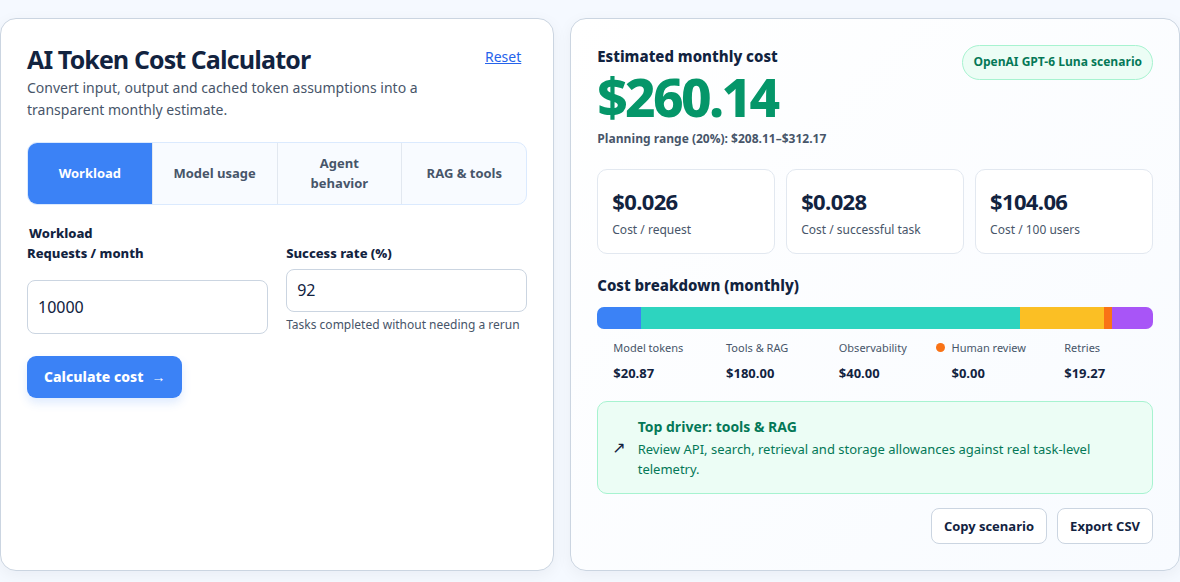
For a quick estimate, enter your expected input, output, and cached token counts in the AI token cost calculator. If you only have text, first use the prompt token calculator to turn a prompt into a model-specific token estimate.
What an AI token cost calculator measures
A token is a unit produced by a model’s tokenizer. It can be a whole short word, part of a longer word, punctuation, whitespace, or a control marker. Token boundaries depend on the model and language, so a character or word count is only a rough proxy. Google’s Gemini documentation describes a token as about four characters on average for Gemini and notes that 100 tokens can represent roughly 60–80 English words, but that should not be treated as a universal conversion for every model. [1]
A useful calculator separates four questions:
- How many input tokens will the request send? This can include system instructions, conversation history, retrieved documents, tool definitions, schemas, images, audio, and the latest user message.
- How many of those input tokens are cached? This is the repeated portion that the provider recognizes as a cache hit. The remainder is normally charged at the base input rate.
- How many output tokens will the model generate? This may include tokens that are not visible in the final text, depending on the provider and model.
- Which rate applies to each category? Prices vary by model, context length, modality, service tier, batch mode, region, and effective date.
OpenAI’s token-counting documentation makes an important point: a local text estimate can miss message formatting, roles, boundaries, tools, schemas, images, and files. Its input-token counting endpoint accepts the same structured request sent to the model and returns the model-facing input count. [2] That is why a calculator is best for planning, while the provider’s usage record is the source of truth for reconciliation.
Input tokens
Input tokens are everything the model reads for a request. In a chat application, that is rarely just the latest question. A request may resend a system prompt, prior messages, retrieved passages, a JSON schema, tool definitions, or a large document. In a multi-turn conversation, the apparent “new message” can be inexpensive while the repeated history dominates the bill.
Input pricing is usually expressed as dollars per million tokens. If a model’s input rate is $2 per million and a request contains 40,000 billable uncached input tokens, the input portion is 40,000 ÷ 1,000,000 × $2 = $0.08.
Output tokens
Output tokens are generated tokens. They include the visible answer and may include hidden or structural tokens used for reasoning, channels, delimiters, or tool calls. OpenAI notes that reported output usage can exceed the visible text, and Google documents that thinking tokens can be included in output pricing for some Gemini models. [2] [6]
This is why “the answer was only 300 words” is not a reliable invoice check. Use the usage fields returned by the API, not a word count copied from the screen.
Cached input tokens
Cached input tokens are a recognized, repeated portion of the input. A cache hit can reduce the price of reprocessing a stable system prompt, examples, document prefix, or conversation context. It still occupies context and still counts as input for model limits; caching changes the billing rate, not the information the model receives.
The implementation differs by provider. Anthropic describes cache writes for storing a prompt prefix and cache reads for later hits, with different prices and time-to-live options. [3] [4] OpenAI’s pricing page lists cached-input and cache-write categories for supported models. [5] Google documents cached content and, for some Gemini products, separate context-caching or implicit-caching behavior. [6]
Do not enter the full prompt as both input tokens and cached tokens. Cached tokens are normally a subset of total input. If total input is 120,000 and cached input is 80,000, charge only 40,000 at the normal input rate; the 80,000 cached tokens use the cached rate. Follow your provider’s usage definition so the same tokens are not added twice.
The input, output and cached-token formula
Let:
I= total input tokensC= cached input tokens, where0 ≤ C ≤ IO= output tokensPᵢ= price per million uncached input tokensP𝚌= price per million cached input tokensPₒ= price per million output tokens
Then the basic estimate is:
uncached input = I − C

base token cost =
  ((I − C) ÷ 1,000,000 × Pᵢ)
+ (C ÷ 1,000,000 × P𝚌)
+ (O ÷ 1,000,000 × Pₒ)
If the provider charges for creating a cache entry, add:
cache-write cost = cache-write tokens ÷ 1,000,000 × P𝚠If it charges tool calls, web search, image/audio processing, storage, or other units separately, add those line items too. A more complete planning formula is therefore:
total estimated cost = base token cost
                     + cache-write cost
                     + tool or feature charges
                     + storage or platform charges
Use the exact model and billing mode. Rates may change above a context threshold, by modality, or under batch processing. Do not compare models using one tokenizer or one provider’s cache rules.
Worked example: one request with a cache hit
Assume a hypothetical text model has these rates, all per one million tokens:
- Uncached input:
$2.00 - Cached input:
$0.20 - Output:
$10.00
Suppose the request contains 120,000 total input tokens, of which 80,000 are cache hits, and it generates 8,000 output tokens. There is no cache-write charge in this simplified example.
First calculate the uncached input:
120,000 − 80,000 = 40,000 uncached input tokensThen calculate each component:
uncached input: 40,000 ÷ 1,000,000 × $2.00  = $0.0800
cached input:   80,000 ÷ 1,000,000 × $0.20  = $0.0160
output:          8,000 ÷ 1,000,000 × $10.00 = $0.0800
------------------------------------------------------
total                                      = $0.1760
The estimate is $0.176, or about 17.6 cents, before taxes or separate feature fees. Notice that the output and uncached input cost the same here even though output is only one-fifth as many tokens. That is the effect of a higher output rate.
For comparison, if the same 120,000 input tokens were all uncached, the input cost would be $0.24, making the total $0.32. The cache hit saves $0.144 in this example. If the first request had to create an 80,000-token cache at a separately priced write rate, that write charge would need to be added to the first request and the savings would begin on later hits.
Assumptions and exclusions
The usual assumptions are:
- The token counts are for the selected model. Tokenizers differ, especially for code, mixed languages, long identifiers, and formatted data.
- Cached tokens are actual cache hits. A repeated prompt is not automatically a hit. A changed prefix, expired time-to-live, different tool definition, or changed cache breakpoint can cause a miss.
- The output count is an allowance or forecast. Actual output can stop earlier, reach a limit, or include billed non-visible tokens.
- Rates are current for the selected provider and mode. Pricing pages change. Recheck the official rate card before budgeting a production workload.
- The estimate covers API usage, not the whole application. It may exclude hosting, database retrieval, observability, user seats, taxes, exchange rates, and your own engineering costs.
For multimodal requests, do not estimate from text length alone. Image, video, audio, system instructions, and tools can add tokens, and grounding, web search, code execution, or file search may add separate per-call or storage charges. [2] [6]
Common mistakes when estimating token cost
Treating one token as one word
Tokens are not words. Short words may fit in one token, while a long word, URL, code fragment, or non-English phrase may split into many. Use a tokenizer or provider count for the selected model.
Counting only the last user message
The system prompt, conversation history, retrieved context, tool schemas, and output format instructions can be a larger input than the new question. Count the complete request payload.
Double-counting cached input
Cached input is normally a subset of total input, not an extra bucket added on top. Subtract it from total input before applying the normal input rate.
Assuming cache hits are guaranteed
Caching depends on an identical or eligible prefix, cache controls, lifetime, and provider rules. Anthropic, for example, explains that the cache covers the prefix through a cache breakpoint and that the default lifetime is limited. [4]
Comparing providers by raw token price alone
A cheaper per-million rate does not guarantee a cheaper request. Tokenizers, context thresholds, output behavior, cache eligibility, modality, and tool charges can change the result. Compare the same workload with the right model-specific counts.
Using old pricing in a long-term budget
Model names, rates, discounts, and cache policies change. Record the pricing-page date and rerun the estimate when a model or billing tier changes.
How to reconcile an estimate with an API bill
Use this process:
- Capture the exact request shape. Save the model ID, service tier, messages, system instructions, tools, schemas, modalities, and token limits.
- Record the provider usage object. Look for input, output, cached, reasoning/thinking, and tool-use fields. Provider terminology differs, so map each field before summing.
- Recalculate by category. Apply each usage count to the rate that was effective for that model and date. Keep cache reads and cache writes separate.
- Compare request-level totals with the dashboard. A dashboard may include taxes, credits, batch adjustments, search calls, storage, or multiple requests grouped together.
- Investigate the largest variance first. Common causes are repeated history, tool schemas, cache misses, hidden reasoning, context-tier pricing, rounding, or a model-ID mismatch.
For OpenAI workloads, the official input-token counting endpoint can count structured messages, tools, images, and files before a request is sent. [2] For Gemini, compare a preflight count_tokens result with the usage object returned after generation. [1] These checks are more reliable than trying to infer tokens from characters after the fact.
FAQ
Are cached tokens free?
No. Cached tokens usually receive a lower read price, but providers may charge for cache writes, cache storage, or both. Use the provider’s cache-read, cache-write, and storage rates separately.
Is output usually more expensive than input?
Often, but not always. Many model price cards set a higher per-million rate for output, so a relatively short answer can cost more than a much longer prompt. Check the selected model’s current rate card rather than applying a universal multiplier.
Can I calculate token cost from word count?
You can make a rough forecast, but word count is not an exact token count. Tokenization changes by model, language, code, punctuation, images, files, tools, and message formatting. Use a model-specific tokenizer or provider counting endpoint for a production estimate.
Why is my API bill higher than the calculator result?
The calculator may omit system prompts, prior turns, tool definitions, hidden reasoning or thinking tokens, cache writes, multimodal inputs, feature fees, or a higher context-price tier. Compare the calculator inputs with the provider’s request-level usage fields.
Should cached tokens be included in total input tokens?
Usually yes: cached tokens are part of the input that the model receives. For cost arithmetic, split total input into cached and uncached portions so the same tokens are not charged at both rates.
Open the calculator and plan a workload
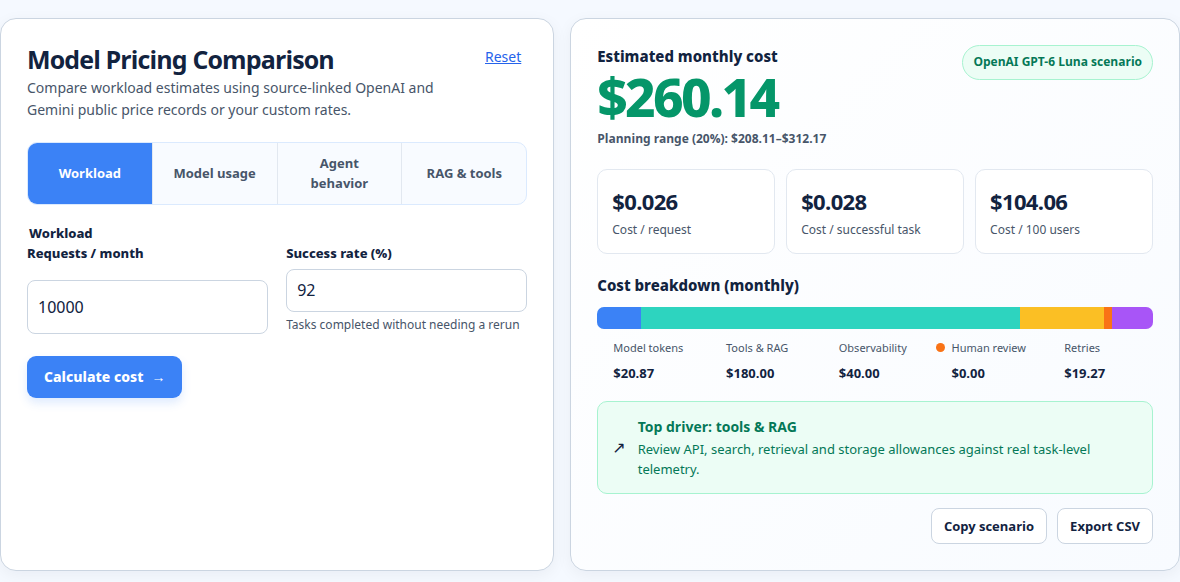
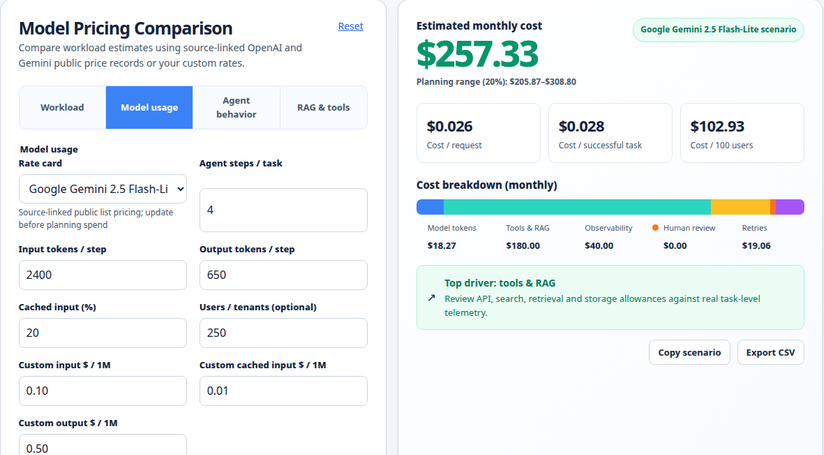
Use the AI token cost calculator to test input, output, and cached-token scenarios before you commit to a model. For adjacent estimates, try the OpenAI API pricing calculator, LLM cost calculator, and prompt token calculator. Read the calculation methodology when you need to document assumptions for a budget, project estimate, or internal review.
Run your scenario
Turn this framework into an editable estimate.
Use dated, source-linked assumptions and see cost per request, successful task and month.
About the Author
About the Author: Zunair Ali Syed is a doctoral researcher in Management Sciences at Minhaj University Lahore and a research consultant with experience in academic research and editing since 2011. He runs QuickEduHelp, with professional interests in digital learning, research methods, and evidence-based academic support.
Primary sources checked
Pricing and product behavior can change. These sources support the time-sensitive claims in this guide; verify current provider terms before committing spend.