Research-backed calculator guide
Azure OpenAI PTU vs Pay-As-You-Go: Cost, Capacity and Break-Even
Compare Azure OpenAI PTU and PAYG with source-linked formulas for token cost, PTU sizing, reservations, utilization, spillover, and break-even planning.
Quick answer
Azure OpenAI PAYG is usually the safer starting point for variable, low-volume, experimental, or still-changing workloads because you pay for input and output tokens. Provisioned Throughput Units (PTUs) become a credible alternative when traffic is predictable, capacity or latency matters, and the deployment can stay busy enough to cover its hourly or reservation cost. Microsoft describes Standard as pay-per-token and Provisioned as per-PTU capacity with hourly billing or discounted monthly and annual reservations [1] [2].
There is no universal PTU break-even number. The result changes with the model and version, region, deployment type, input/output mix, cache rate, PTU minimum, reservation term, active hours, and overflow traffic. Use the Azure OpenAI cost calculator with those inputs, then replace public assumptions with your Azure account terms.
What the current search results cover
A dated English-language snapshot taken on 2 November 2026 is context, not a global ranking claim. The first ten results mix Microsoft Learn billing and sizing documentation, the Foundry calculator, third-party PTU calculators, an open-source advisor, and long-form explainers.
Microsoft’s pages are deepest on billing, quota, deployment categories, and model-specific sizing, with tables, diagrams, and calculator links. Other tools add KQL or log inputs, charts, hybrid spillover, and what-if analysis. Blog examples use different dates and are not consistently tied to the exact model, region, or current Microsoft rate row.
The supportable gap is a comparison that keeps billing meters separate, shows the formula, exposes capacity assumptions, and tests hourly, reserved, and spillover cases without treating PTU inputs as universal.
PTU and PAYG are different meters
With Standard or another PAYG deployment, the basic model-cost calculation is token based:
PAYG monthly cost = uncached input tokens × input rate + cached input tokens × cached-input rate + output tokens × output rate
Add any separately metered features, such as batch, priority processing, tools, or surrounding Azure services, when they apply. Azure’s pricing page labels Standard as pay-as-you-go for input and output tokens and separates Global, Data Zone, and Regional deployment choices [1]. The displayed prices are estimates, not quotes; Microsoft says the final amount can vary with agreement, purchase date, currency conversion, and offer.
PTU billing works differently. A provisioned deployment holds a fixed amount of processing capacity for your deployment, whether or not requests are arriving. The hourly charge is based on deployed PTUs, not tokens consumed [2] [3]. The simplest form is:
PTU monthly cost = deployed PTUs × PTU price per hour × billed hours
For a reservation, replace the hourly expression with the applicable reservation price. A reservation discounts the PTU meter; it does not turn the deployment into a PAYG token meter. Microsoft also warns that reservations do not guarantee capacity. Create the deployment and confirm capacity before committing to a reservation [2] [6].
Why region, deployment type and model version change the result
A comparison is only valid when both sides describe the same model family, version, context tier, processing boundary, and workload. Global processing can route inference across Azure regions. Data Zone keeps processing within a Microsoft-defined zone, while Regional keeps processing within the selected Azure geography. These choices affect data handling, availability, quota pools, and price rows [5]. A cheaper Global rate is not an equivalent substitute when a workload requires a Regional boundary.
Model and version matter twice. They determine the PAYG token prices and the PTU capacity parameters. Microsoft’s sizing documentation says that input TPM per PTU, output-to-input ratio, minimum deployment, and scale increment come from the selected model and deployment type [4]. A change from a short-context to a long-context tier, or from one model revision to another, can invalidate both the rate and the PTU estimate.
The public Azure pricing page includes model- and deployment-specific token rows and a provisioned table with minimum PTUs and hourly or reservation prices. Treat them as dated planning inputs, not a promise of availability. Check model availability and the Foundry deployment experience before selecting a PTU option [1] [2].
Size PTUs from peak shape, not monthly tokens alone
Monthly tokens are useful for PAYG cost, but PTUs are capacity planning. Microsoft’s manual sizing method starts with peak requests per minute, average prompt tokens, average response tokens, and cache rate. It computes normalized TPM and divides by the model’s input TPM per PTU [4]:
Input TPM = peak RPM × average prompt tokens Output TPM = peak RPM × average response tokens Normalized TPM = input TPM × (1 − cache rate) + output-to-input ratio × output TPM Raw PTUs = normalized TPM ÷ model input TPM per PTU
Round up to the deployment’s scale increment and apply the model’s minimum, whichever is larger. A workload with a modest monthly total can still need many PTUs if it arrives in short, sharp bursts. Conversely, a large monthly total spread across quiet hours may not justify a reservation if the deployment cannot stay utilized.
Use measured P50, P95, or P99 request shape where possible. If traffic is wide, a single average prompt can understate capacity. Benchmark a representative deployment and keep the sizing percentile beside the result.
Break-even formula and utilization test
For a like-for-like model and deployment, calculate the monthly PAYG estimate first. Then compare it with the PTU scenario:
Monthly savings from PTU = PAYG monthly cost − PTU monthly cost − spillover cost
The pure price break-even volume is:
Break-even workload = PTU monthly cost ÷ PAYG cost per workload unit
The workload unit must match the rate mix. If 80% of billed tokens are input at $2 per million and 20% are output at $10 per million, the blended cost is (0.8 × $2) + (0.2 × $10) = $3.60 per million billed tokens, before other meters. A $3,900 monthly reservation would require about 1,083.3 million billed tokens per month to break even on token price alone. That arithmetic does not prove PTU capacity or availability.
Utilization is the second test. Divide the capacity actually used by the deployed capacity over the billed period. A PTU deployment can look cheap at peak while being expensive across nights, weekends, idle periods, or a low baseline. If a reservation is larger than the deployed PTUs during part of the period, unused reserved units do not carry forward [6].
Worked scenario: a labeled planning example
The following is an illustration, not a Microsoft quote. Assume a Global Standard PAYG workload using a short-context model with 80 million uncached input tokens and 20 million output tokens per month. For arithmetic only, use the dated public token assumptions of $2 per million input tokens and $10 per million output tokens. PAYG is:
- Input: 80 × $2 = $160
- Output: 20 × $10 = $200
- Total: $360 per month
Now test a separate PTU assumption: 15 PTUs, the stated minimum for the selected public short-context Global provisioned row, at $1 per PTU-hour, for 730 hours. Hourly billing would be 15 × $1 × 730 = $10,950 per month. If a matching $260 per PTU monthly reservation is available for the exact model, deployment type, region, and account terms, the reservation scenario is 15 × $260 = $3,900 per month.
Under these assumptions, PAYG is cheaper because the workload is far below the reservation’s pure-price break-even. The reservation would need roughly $3,900 ÷ $3.60 = 1,083.3 million billed tokens per month at the same 80:20 input/output mix. The hourly case would need roughly 3,041.7 million billed tokens per month.
Do not generalize those thresholds. The PTU card is a separate capacity assumption and must be matched to a model/version that supports the intended provisioned deployment. If your workload needs Data Zone, the public example changes to $1.10 per PTU-hour and $286 per PTU monthly reservation, subject to the same verification boundary. Enter the live matching values in the calculator rather than assuming the example applies.
When hybrid spillover makes sense
A hybrid design keeps a base PTU deployment for predictable demand and sends overflow to a corresponding Standard deployment. Microsoft documents spillover as an option for traffic fluctuations when provisioned capacity is exhausted [2]. Model it as:
Hybrid monthly cost = PTU base cost + PAYG cost of overflow tokens + any separate service charges
Size the base for a defensible percentile or business-critical floor, not the absolute maximum if that maximum occurs only briefly. Then estimate the share of requests that exceed capacity, the tokens in those requests, and any retry or latency effect. Spillover improves elasticity, but it does not make PTU capacity free and does not remove the need to verify the corresponding deployment and model support.
Run your scenario
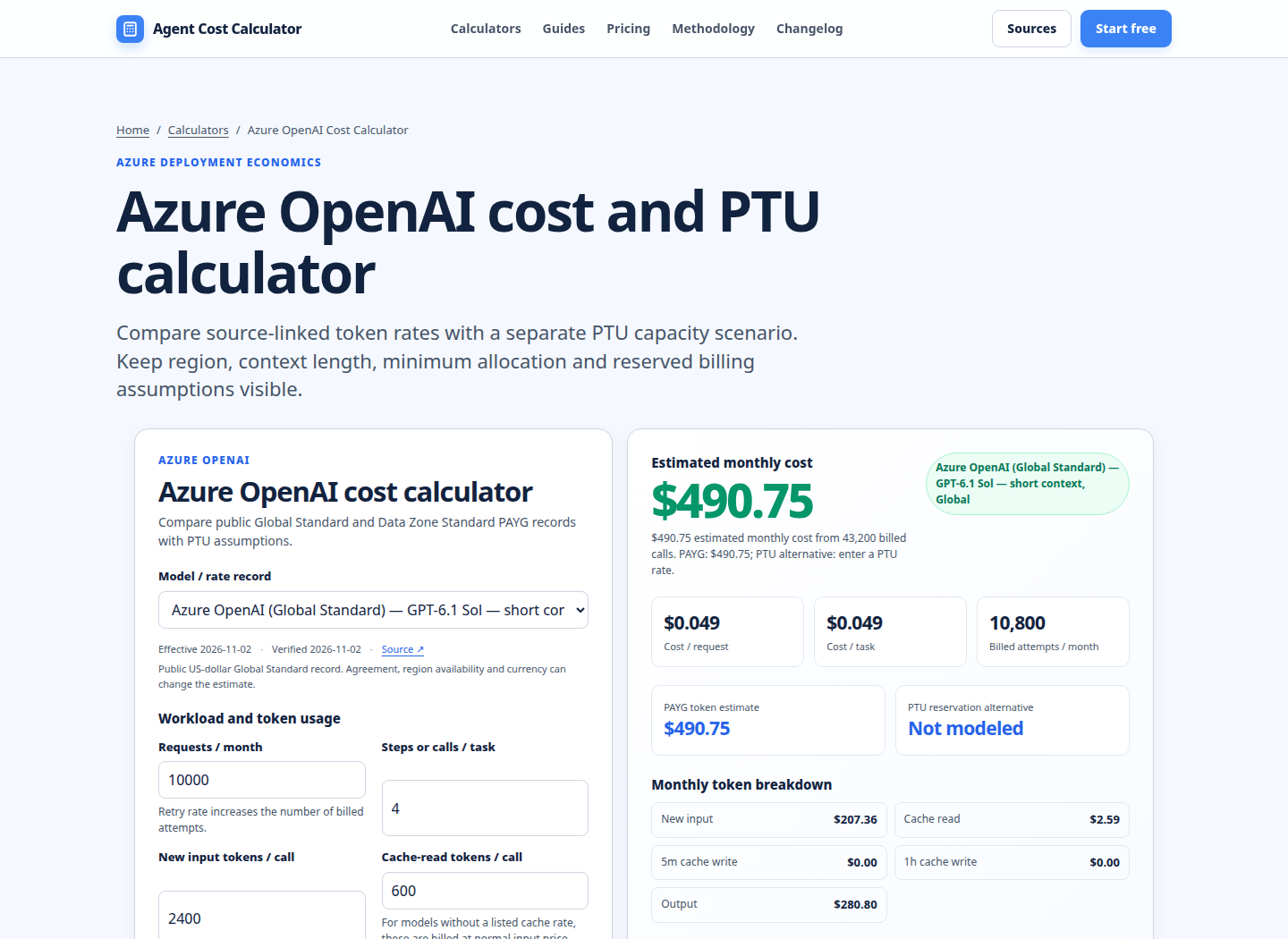
Turn this framework into an editable estimate.
Use dated, source-linked assumptions and see cost per request, successful task and month.
Inputs, exclusions and a reliable review cycle
Before approving a PTU decision, record the model and version, deployment type, region, rate date, minimum and scale increment, PTU price, reservation term, billed hours, peak RPM, prompt and response sizes, cache rate, and spillover policy. Keep PAYG and PTU in separate columns.
This comparison excludes taxes, negotiated discounts, Azure credits, network, logging, content-safety or tool meters, storage, application compute, retry overhead, and the value of a latency or availability target unless you add them. It does not promise throughput, a quota increase, capacity availability, or a response time. Microsoft states that quota is distinct from actual model capacity and can change by region and model [2].
Re-run the estimate when traffic shape, model version, deployment boundary, reservation term, cache behavior, or invoice meter changes. Compare it after launch with Azure Cost Management and observed utilization. For broader comparisons, use model pricing comparison, invoice reconciliation, and the LLM cost calculator.
FAQ
Is PTU always cheaper than Azure OpenAI PAYG?
No. PTU charges for deployed capacity even when it is idle. It can be economically attractive for sustained, predictable, high-utilization workloads, but PAYG is often cheaper for pilots, irregular demand, and low volumes. Compare the exact model, deployment type, rates, and utilization rather than using a universal savings percentage.
Does a PTU reservation guarantee capacity?
No. Microsoft says reservations are a financial discount on the PTU billing meter and do not guarantee model deployment capacity. Confirm that the deployment can be created first, then purchase a matching reservation [2] [6].
Do PTUs use the same calculation as PAYG tokens?
No. PAYG multiplies billed token quantities by token rates. PTU sizing converts peak RPM, prompt tokens, response tokens, cache rate, and model-specific capacity factors into normalized TPM and PTUs. Monthly tokens alone are not enough to size a provisioned deployment [4].
What is Azure OpenAI spillover?
Spillover routes traffic that exceeds a provisioned deployment’s available capacity to a corresponding Standard deployment. It can protect a predictable base from short bursts, but the overflow is still PAYG traffic and should be modeled with its own token volume and rate [2].
Are Global, Data Zone and Regional PTUs interchangeable?
No. They have different processing boundaries, availability, quota pools, and reservation products. Microsoft says Global, Data Zone, and Regional reservations are separate, and a reservation for one deployment type does not cover another [5] [6].
Should I use hourly billing or a reservation?
Hourly billing is useful for short tests or temporary capacity. A reservation may lower the effective rate for sustained use, but it creates a term commitment and can leave value unused if deployment size falls. Compare the term price with actual deployment hours and confirm your account’s cancellation, exchange, and renewal terms [3] [6].
Primary sources checked
Pricing and product behavior can change. These sources support the time-sensitive claims in this guide; verify current provider terms before committing spend.